GoHighLevel Automation Systems
Pipelines, workflows and AI follow-up, built properly inside GoHighLevel.
What it does
Most GoHighLevel accounts are a half-finished pipeline and a pile of unused features. My builds start from the lead's journey instead: where enquiries arrive, how fast they get answered, what happens when they go quiet, and how a booking gets onto the calendar without anyone chasing it by hand.
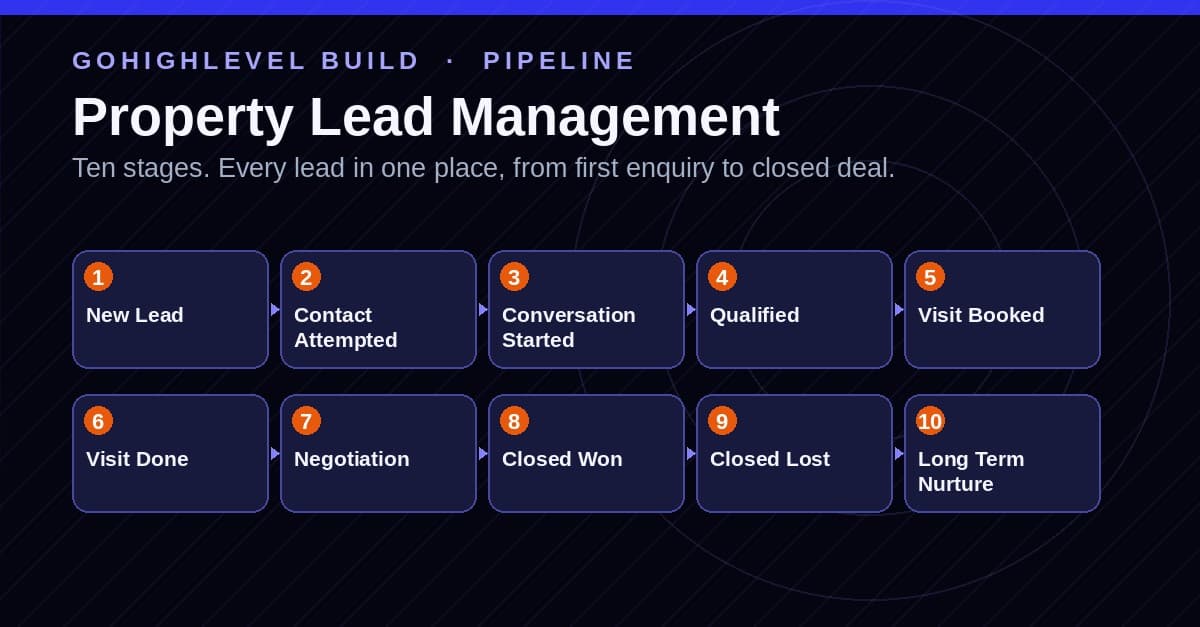
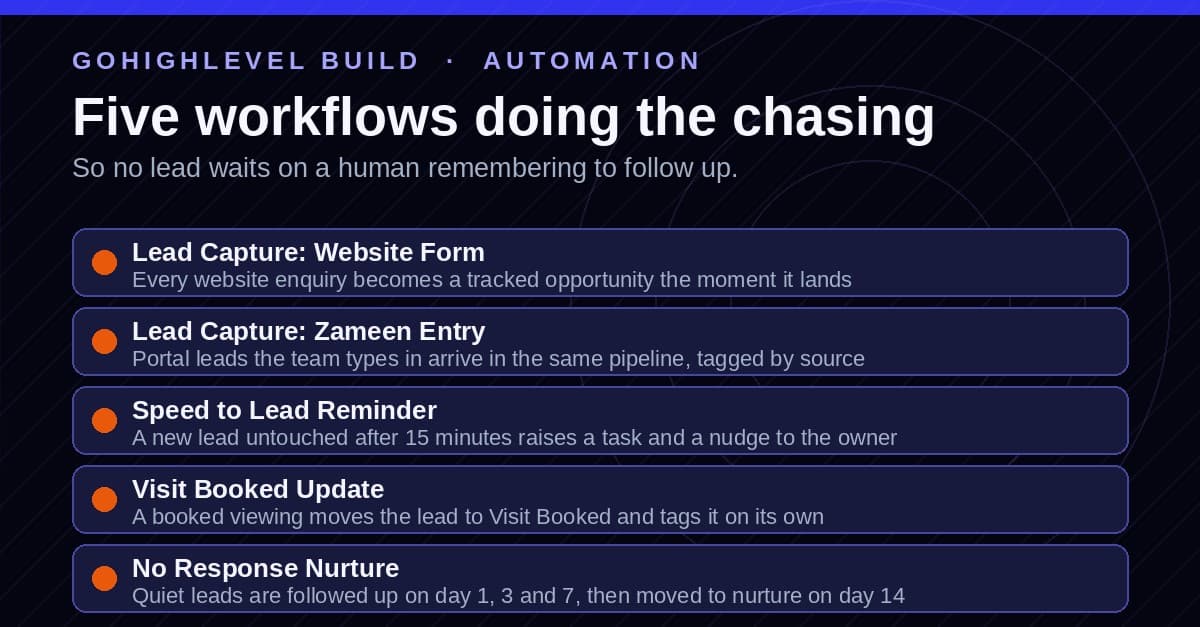
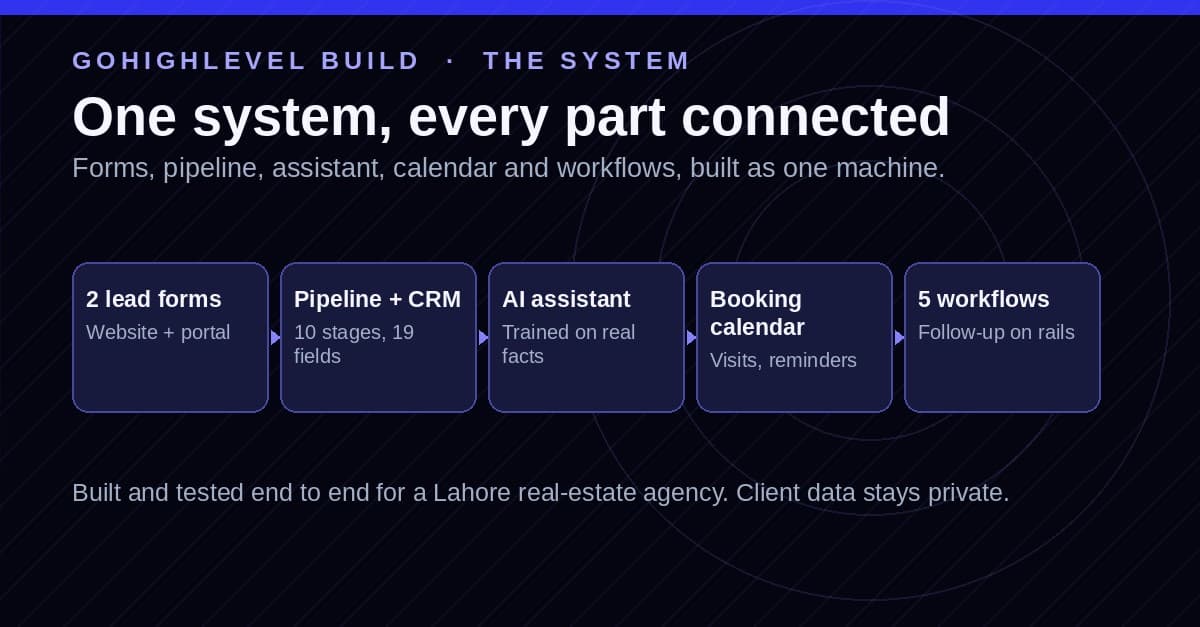
A recent full build for a real-estate agency in Lahore covered the whole chain: two lead-capture forms for website and portal enquiries, a ten-stage property pipeline, nineteen custom fields with tags, a visit-booking calendar, an AI assistant trained only on the agency's verified facts, and five workflows, including a fifteen-minute speed-to-lead reminder and a no-response nurture sequence. It was tested end to end before handover.
The handover was tested, not assumed. The AI assistant was tried on real questions before it went anywhere near a customer, and it qualified a rent enquiry one question at a time without inventing a single listing or price. The workflows were fired on test leads, stages were moved back and forth, and the calendar was booked and rebooked before the owner ever saw the system.
The same build included five landing pages in the client's own black and gold: a home page, rent and buy pages for their areas, a sell page and a visit-booking page, each carrying the lead form or the calendar rather than reading like a brochure. The diagrams below are drawn from the real setup: the stage names, the workflow names and the numbers are the ones in the live account. The screenshots themselves stay private, as any client's should.
How the workflow runs
- 1
Map the lead flow
Every source, stage and handoff written down before anything is built.
- 2
Build the pipeline
Stages, custom fields, tags and forms set up around how the business actually sells.
- 3
Automate the follow-up
Instant capture alerts, speed-to-lead reminders and a nurture sequence for quiet leads.
- 4
Hand over and train
The team gets a working system and a walkthrough, not a login and a shrug.
Built with
- Pipeline Design
- Workflow Automation
- Conversation AI
- Forms and Calendars
Inside the build
Built inside a live client account, and tested before handover. Client account screenshots are never published; I can walk through the real system on a discovery call.